01Prestations
Deux savoir-faire, un seul interlocuteur
Votre site internet — et l'informatique de proximité pour tout le reste.
Web design
Sites internetUn site qui vous amène des clients —
pas une carte de visite en ligne.
- Architecture
- Textes & accroches
- Version mobile
- Référencement local
- Rapidité
- Nom de domaine
- E-mails professionnels
- Suivi & maintenance
Conseil & ingénierie
Au-delà du siteQuand aucun logiciel du marché ne convient,
je le développe.
- Logiciels sur mesure
- Automatisations
- Espaces sécurisés
- Intégrations
- Réseaux & sécurité
- Sauvegardes
- Infogérance
- Conseil & architecture
02Réalisations
Des sites en production
Conçus, mis en ligne et maintenus de A à Z. Faites défiler pour les parcourir — survolez une carte pour la découvrir.
-
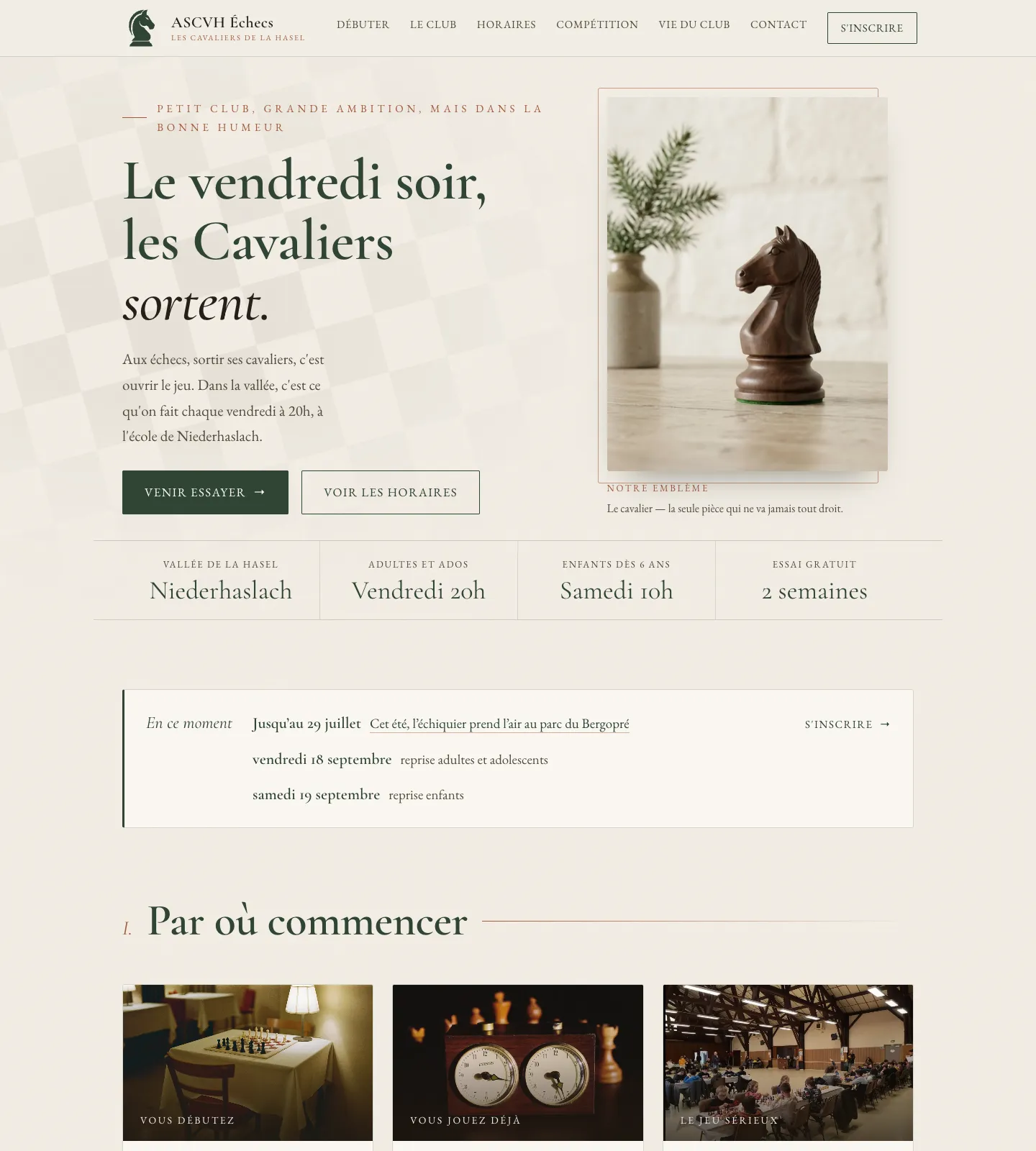 ascvh-echecs.fr
ASCVH Échecs
Club d'échecs associatif de la vallée de la Hasel, à Niederhaslach. Site vitrine : première visite, horaires, calendrier de compétition, vie du club et inscription en ligne.
Voir le site → -
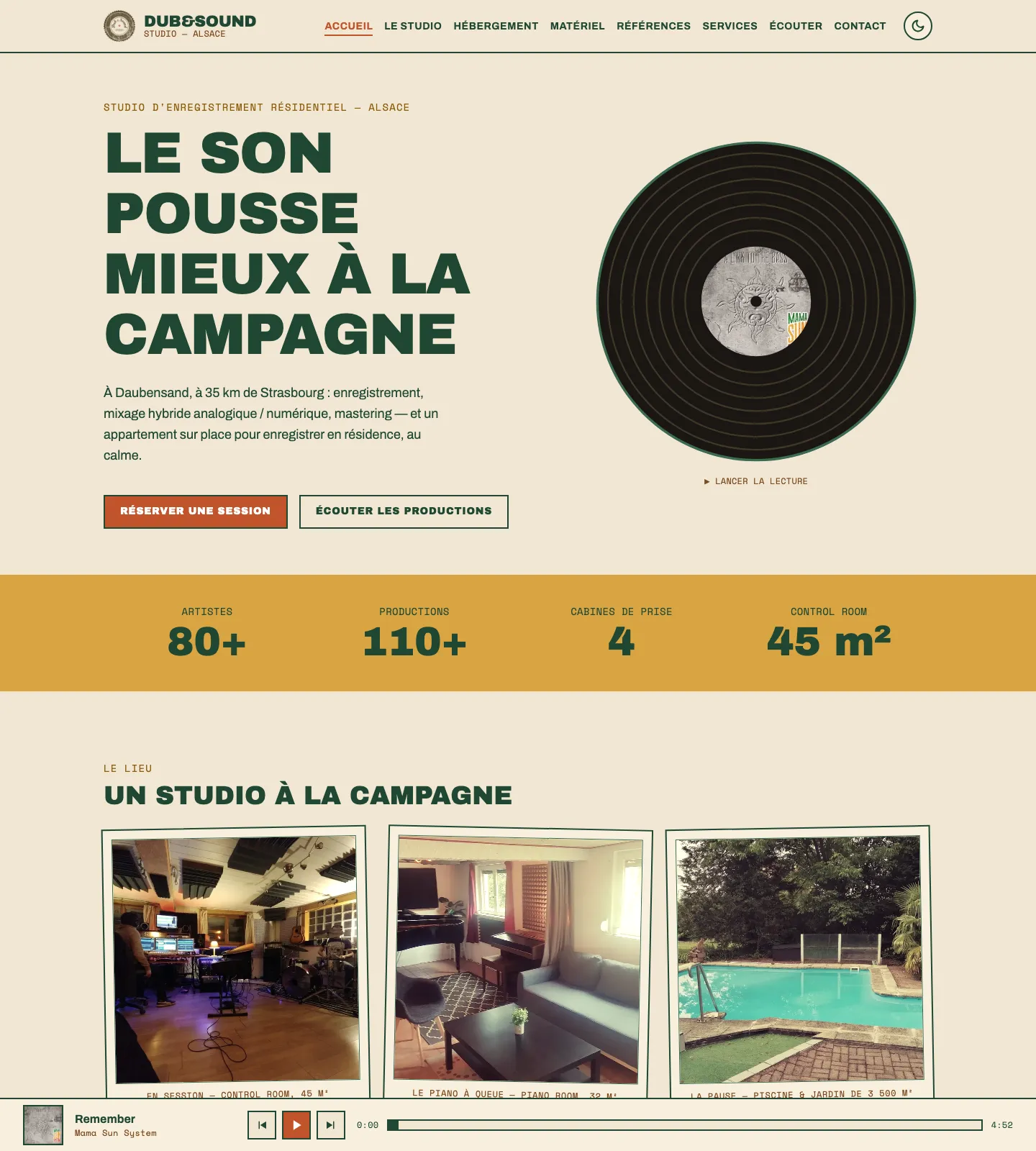 dubandsound.fr
Dub & Sound Studio
Studio d'enregistrement et de post-production sonore à la campagne, près de Strasbourg. Site vitrine : présentation du studio, des prestations et écoute des productions.
Voir le site → -
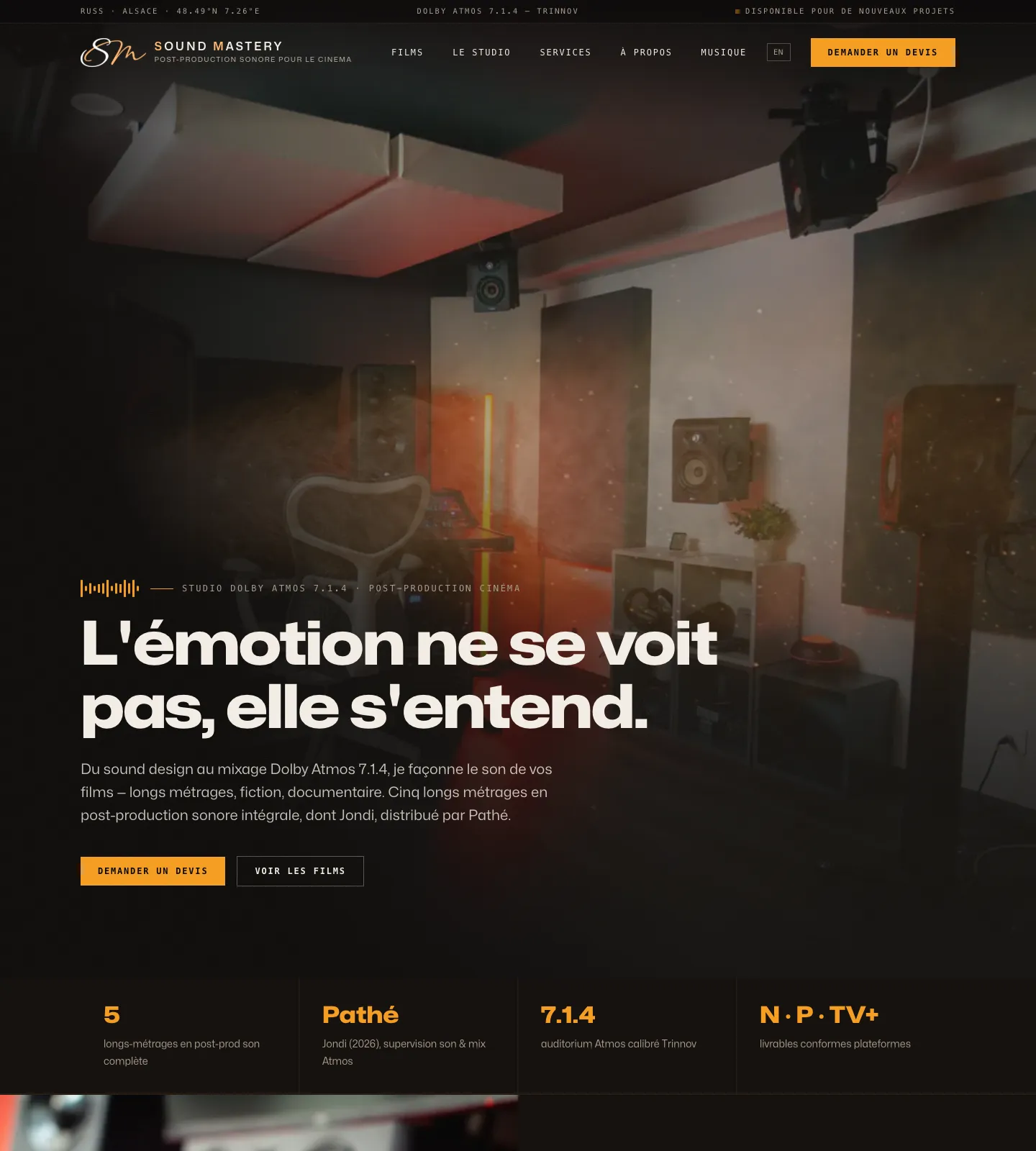 soundmastery.net
SoundMastery
Studio de post-production son pour le cinéma (Dolby Atmos). Site vitrine, présentation des prestations et des références.
Voir le site → -
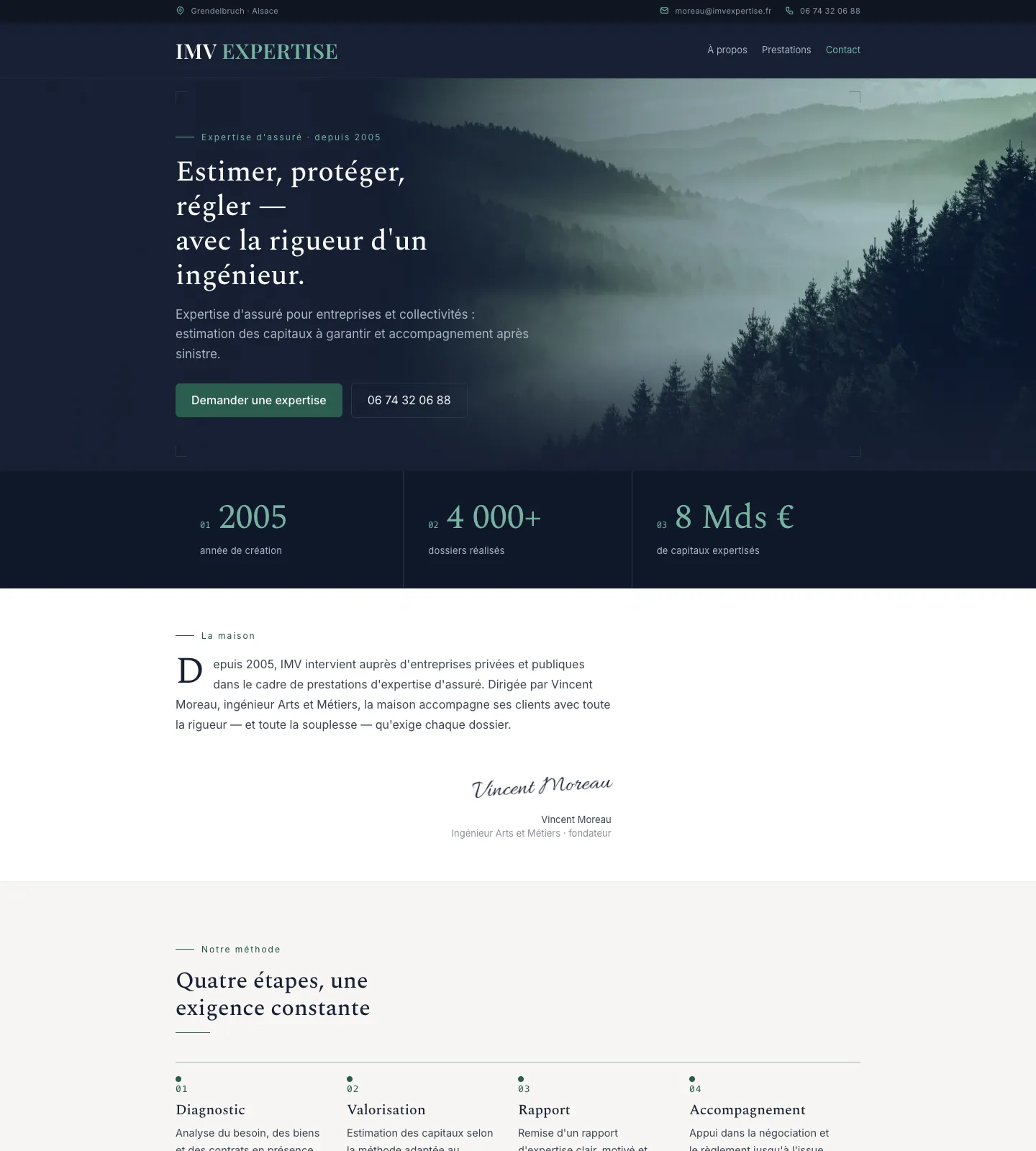 imvexpertise.fr
IMV Expertise
Cabinet d'expertise d'assuré pour entreprises et collectivités, en Alsace. Site vitrine : présentation de la maison, de la méthode et prise de contact.
Voir le site → -
 now-cinema.com
Now Cinema
Société de production et distribution de films. Site éditorial, diffusion sécurisée en ligne, référencement.
Voir le site →
03Témoignages
Ce qu'en disent les clients
Quelques retours, à chaud, après la mise en ligne.
Marc de Pangos est très compétent, rapide, efficace, créatif. Il m'a réalisé un magnifique site internet pour mon studio d'enregistrement en un temps record avec les dernières technologies. Je recommande vivement.
Un travail très professionnel, Marc est très à l'écoute du client, il prend le temps de bien comprendre les besoins et de proposer des solutions sur mesure. Le résultat est épatant, efficace et original. Je recommande absolument !!
Marc a su être réactif pour nous livrer le site en urgence pour la sortie du film et implémenter un canal sécurisé et personnalisé pour visionner le film.
Vous avez travaillé avec moi ? Votre avis aide d'autres entreprises du coin à me trouver.
Laisser un avis Google04Méthode
La rigueur des grandes infrastructures,
au service des entreprises à taille humaine
Derrière Pangos : une carrière d'administrateur systèmes et réseaux, de développeur et de conseil — de nombreux serveurs et sites administrés au quotidien, et des applications macOS publiées. Un site internet, pour moi, c'est d'abord une infrastructure : elle doit être fiable, sauvegardée et maintenable.
Je connais aussi de l'intérieur les métiers du son et de l'image — studios, indépendants, créatifs : je parle la technique, mais je comprends votre métier.
Basé à Russ, dans la vallée de la Bruche, j'interviens localement, autour de Strasbourg et à distance.
« Je vous dis ce dont vous avez besoin — et ce dont vous n'avez pas besoin. »
- Devis gratuit, prix annoncé avant de commencer
- Un seul interlocuteur, du domaine à la maintenance
- J’écris les textes qui mettent votre offre en valeur
- Vous restez propriétaire de votre domaine et de vos contenus
- Conseil & solutions informatiques au-delà du web
05Questions fréquentes
Les réponses avant de demander un devis
Combien coûte la création d’un site ?
Un site sur mesure démarre à 990 €, tout compris : conception, version mobile, formulaire, référencement local et mise en ligne. Au-delà — boutique, fonctionnalités sur mesure, développement spécifique — le prix dépend du projet ; je l’annonce et le fixe dans un devis gratuit et détaillé, avant de commencer. Jamais de surprise en cours de route.
En combien de temps mon site est-il en ligne ?
Pour un site vitrine, comptez en général 1 à 2 semaines, une fois le contenu réuni et les validations faites. Je vous donne un délai ferme dès le devis.
Suis-je obligé de prendre un abonnement de maintenance ?
Non. Votre site vous est livré et fonctionne seul. Je propose un suivi — mises à jour, sauvegardes, sécurité, petites évolutions — que je recommande pour garder un site sûr dans le temps, mais vous êtes libre de le prendre, de le décliner ou de l’arrêter quand vous voulez.
À qui appartient le site et le nom de domaine ?
À vous. Le nom de domaine et vos contenus restent votre propriété. Selon votre situation, vous pouvez tout gérer vous-même ou me confier l’hébergement et la technique — on en décide ensemble, clairement, dès le départ. Rien n’est verrouillé contre vous.
Je n’y connais rien en technique — est-ce un problème ?
Non, c’est justement pour ça que je suis là. Vous me parlez de votre métier avec vos mots ; je m’occupe de toute la technique, du nom de domaine au suivi. Un seul interlocuteur, sans jargon — vous n’avez rien à apprendre.
Que se passe-t-il une fois le site en ligne ?
Je reste disponible. Vous pouvez me solliciter pour une évolution, une question ou un dépannage — et au-delà du web, je fais aussi du conseil et du dépannage informatique si vous en avez besoin.